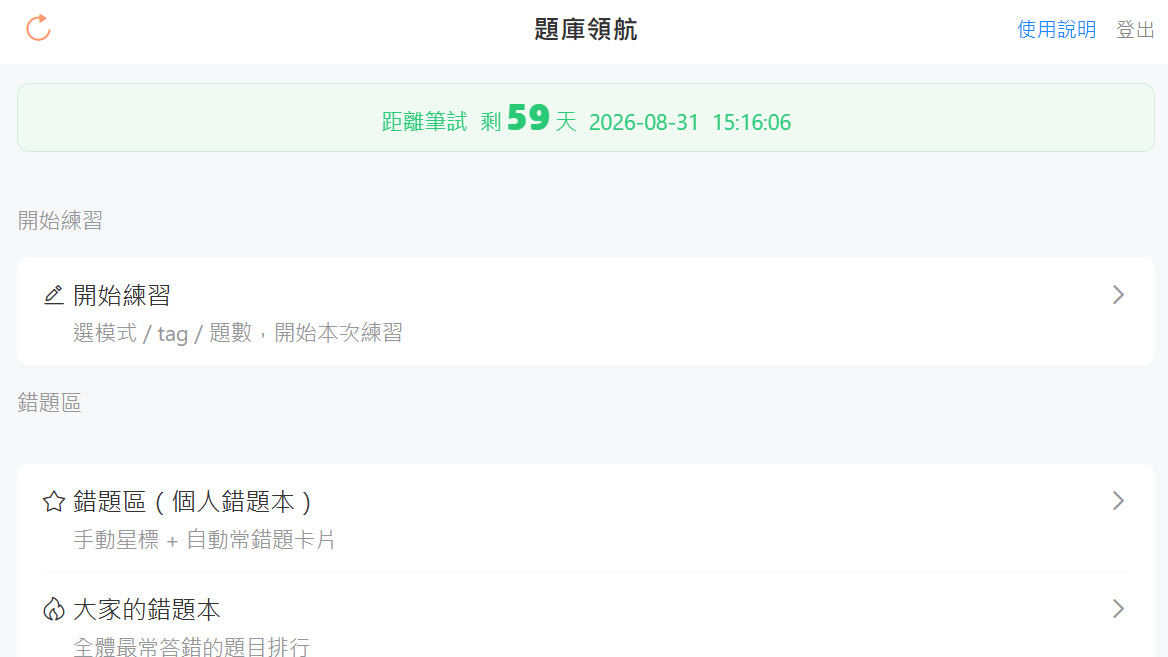
While prepping for the PM&R board examination, I used an engineer’s approach to solve an old problem for myself: how exactly should I practice past exam questions so I don’t forget them right after? I ended up building a small tool called “Exam Navigator,” and figured I’d tidy it up and open it up to share with anyone who needs it.
🔗 Live Demo (built-in demo account, ready to play): https://exam-demo.drpwchen.com 🔗 Source code: https://github.com/drpwchen/exam-practice
Why build one myself?
When prepping for a written exam, one of the most effective methods is to repeatedly practice past questions and reinforce the ones you get wrong. Everyone knows the logic, but actually doing it has two pain points.
Note
First, simply looking at questions and testing yourself gets tiring quickly, and you unconsciously keep practicing what you “already know,” while your actual weaknesses get skipped over.
Second, figuring out “when to review which question” is impossible to schedule with a human brain. Will you remember the question you practiced today in three days? What about a week later? Nobody knows, so you just end up redoing everything, which is terrible for efficiency.
I remembered the memory algorithms I used when memorizing English vocabulary and thought: aren’t past questions just a kind of “flashcard to remember”? So I got to work.
What can it do?
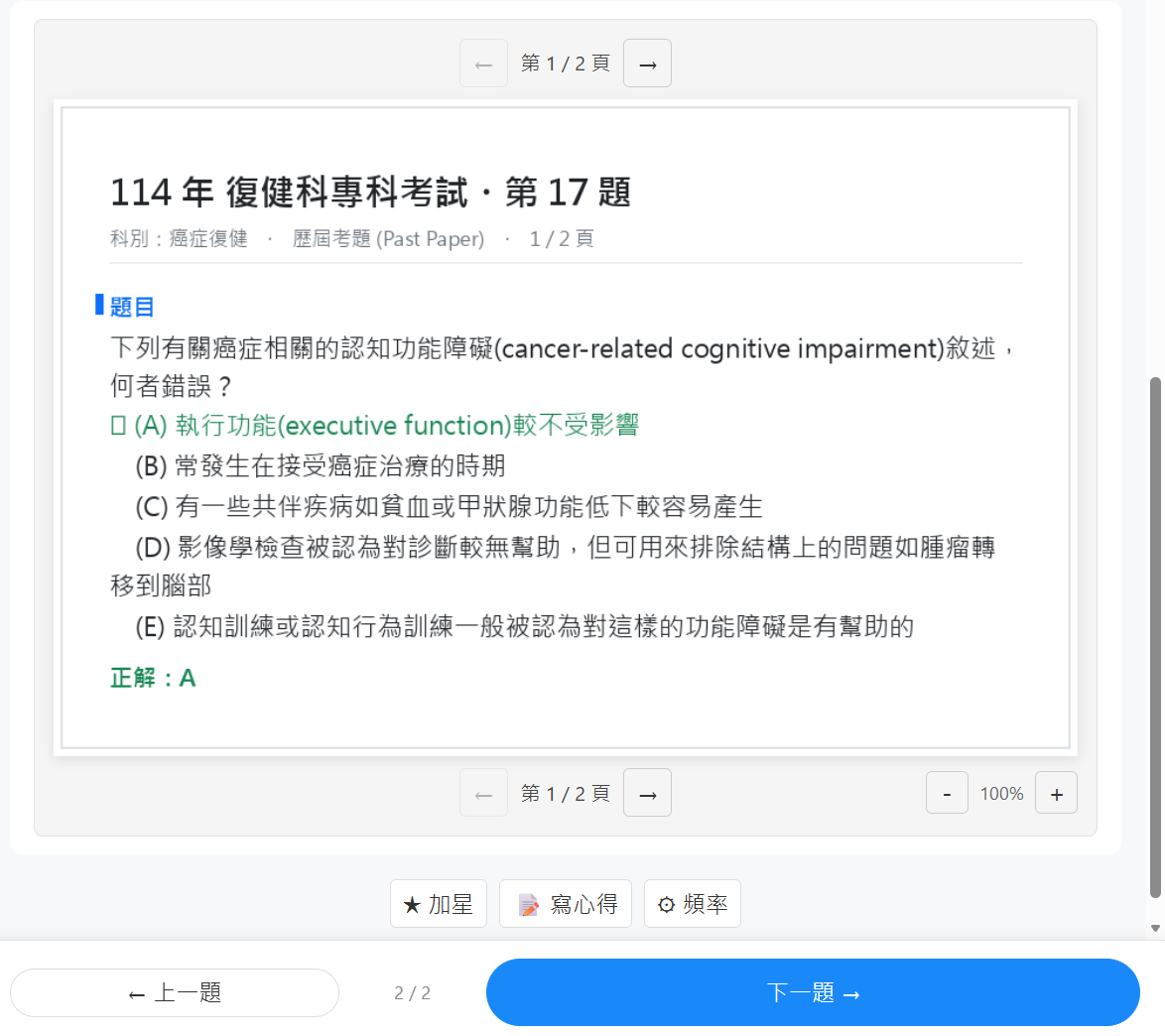
Turns PDF exams into a playable question bank: Past exams are mostly PDFs. I wrote an import pipeline that automatically slices out the questions, options, and answers, and extracts image questions (X-rays, ultrasounds, scales) along with them. Explanations are shown directly as a “screenshot of that page” to avoid text recognition messing up the options or answers.
Schedules review times for each question using FSRS: FSRS stands for Free Spaced Repetition Scheduler, a spaced repetition algorithm. Based on your “correctness, confidence, and time spent” for each answer, it estimates your memory curve for that question, then tosses it back for you to practice at the sweet spot where you are “about to forget it, but can still salvage it.”
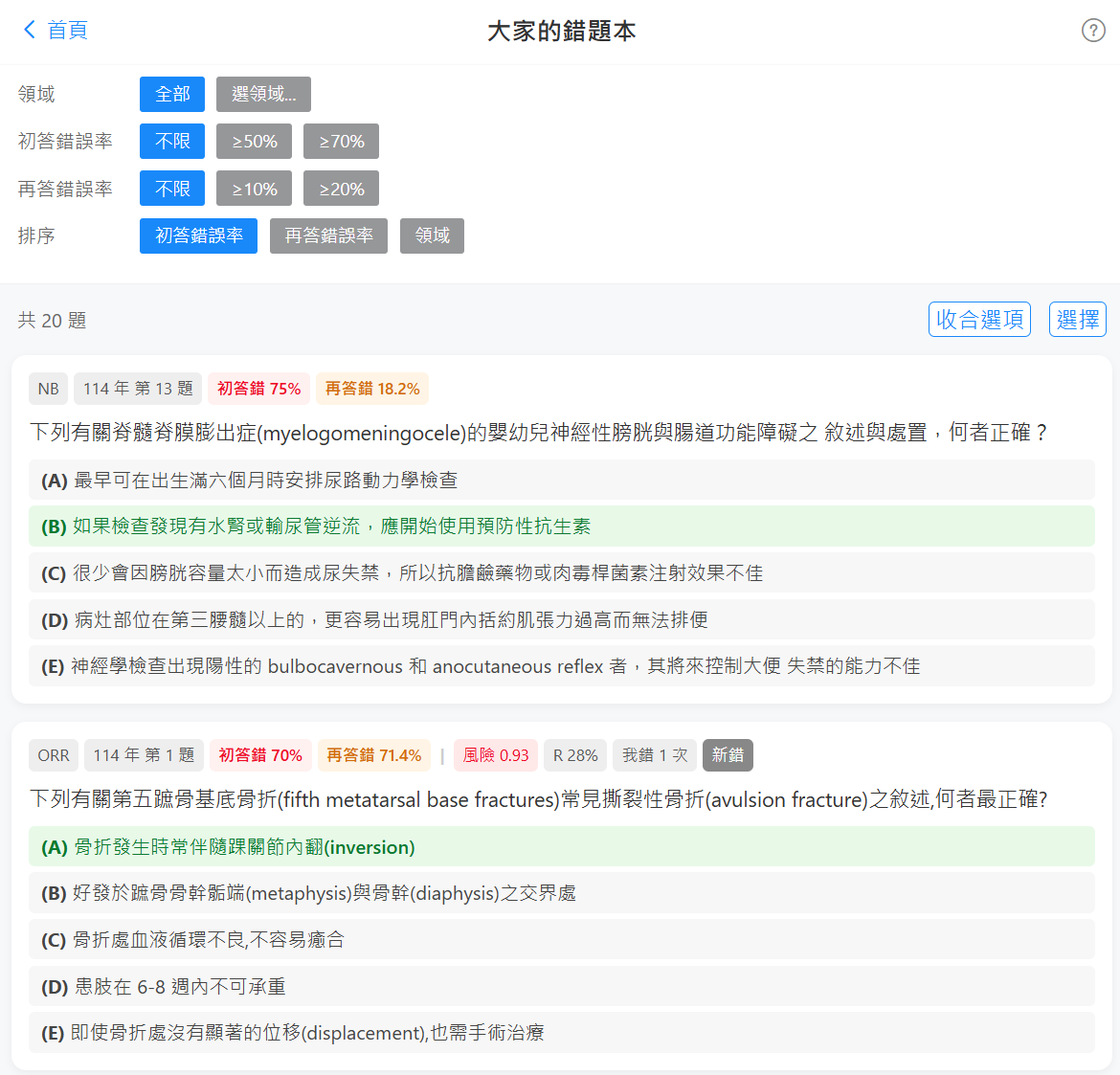
Practice with colleagues in the department: You can see your peers’ progress and the “most commonly missed questions by everyone.” Studying alone is lonely; knowing everyone else is stuck on the same question actually brings a strange sense of comfort 😅.
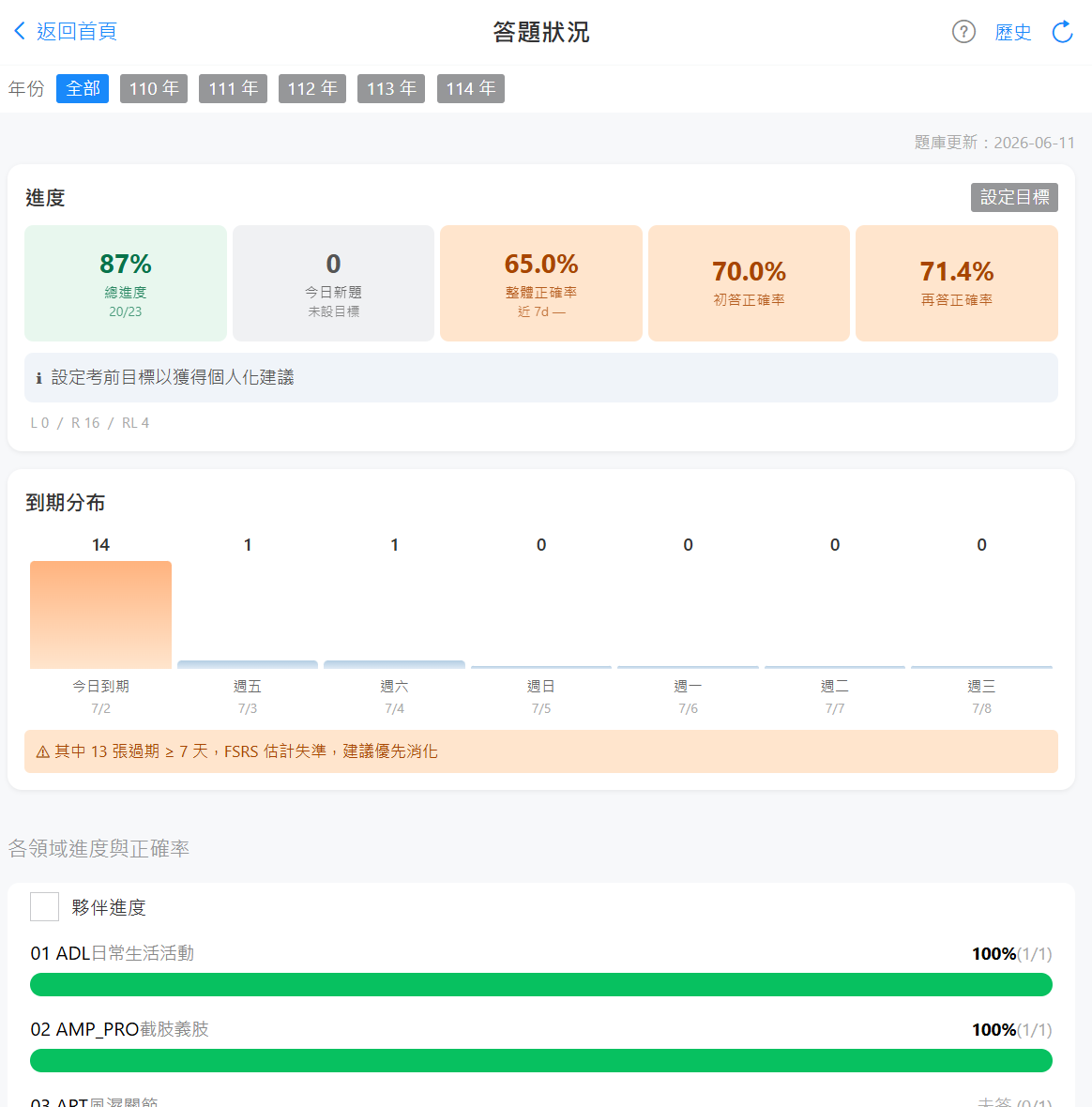
Goal setting: On the Dashboard, you can see your current practice progress and accuracy. It also has a goal-setting feature to pin down how many questions you need to finish within a certain number of days.
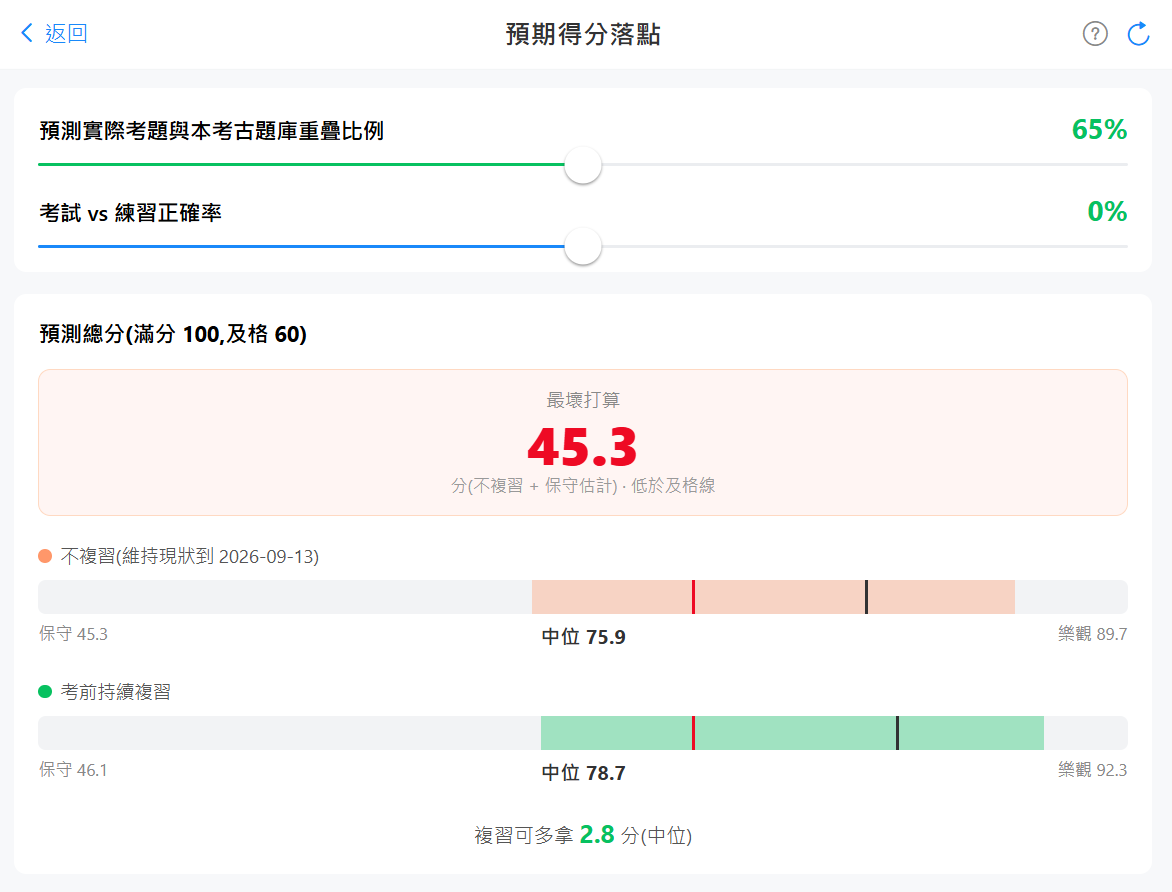
Projects your score for exam day: This is my personal favorite feature. The system uses your accuracy in each subject, multiplies it by that subject’s actual exam weight, and multiplies it again by how much FSRS estimates you’ll remember “by exam day” to calculate a projected score. It also includes confidence intervals and a comparison of two scenarios: “keep reviewing” versus “stop reviewing completely.” Watching your projected score slowly climb as you review is very tangible feedback.
A quick look 📱
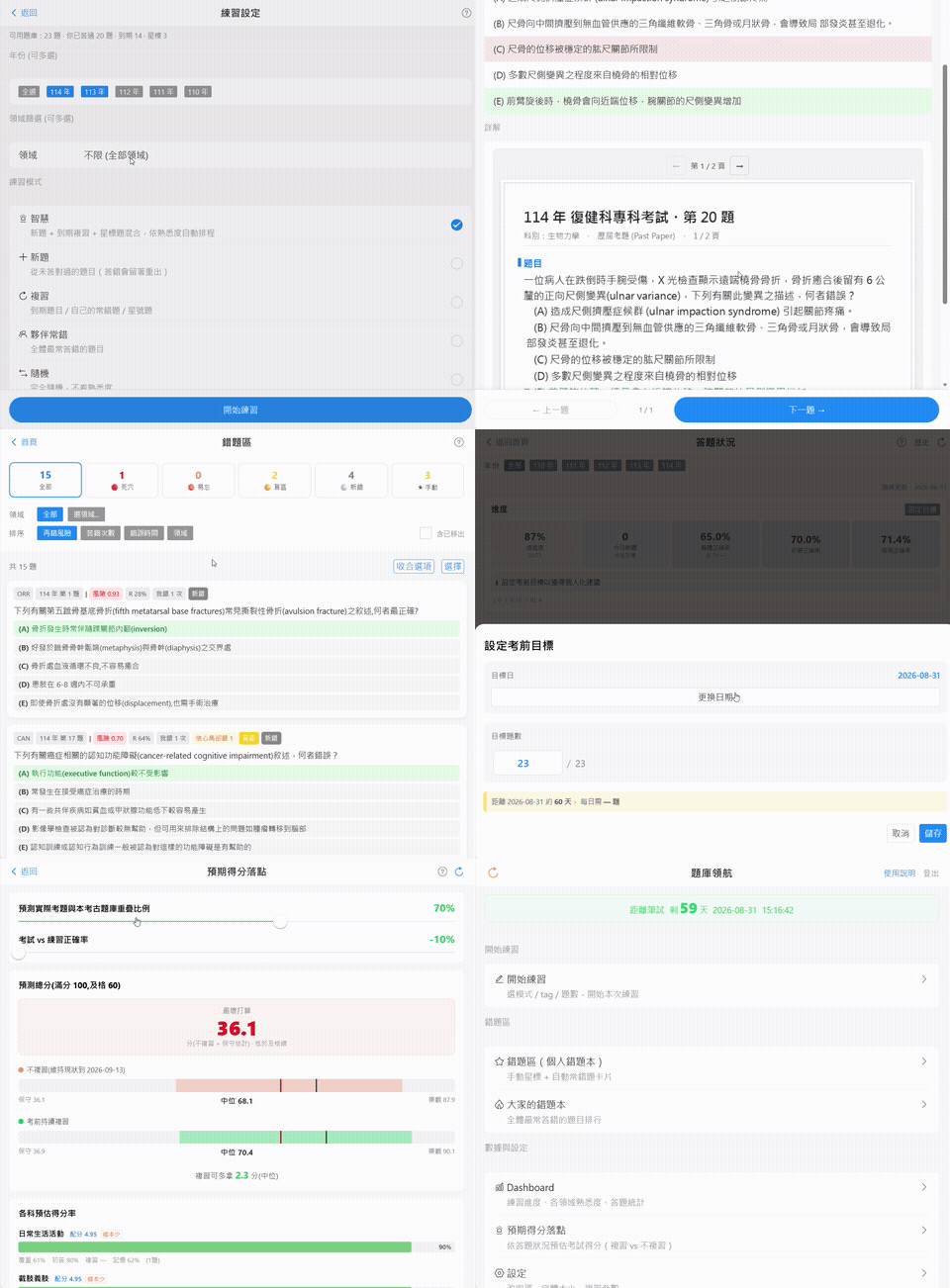
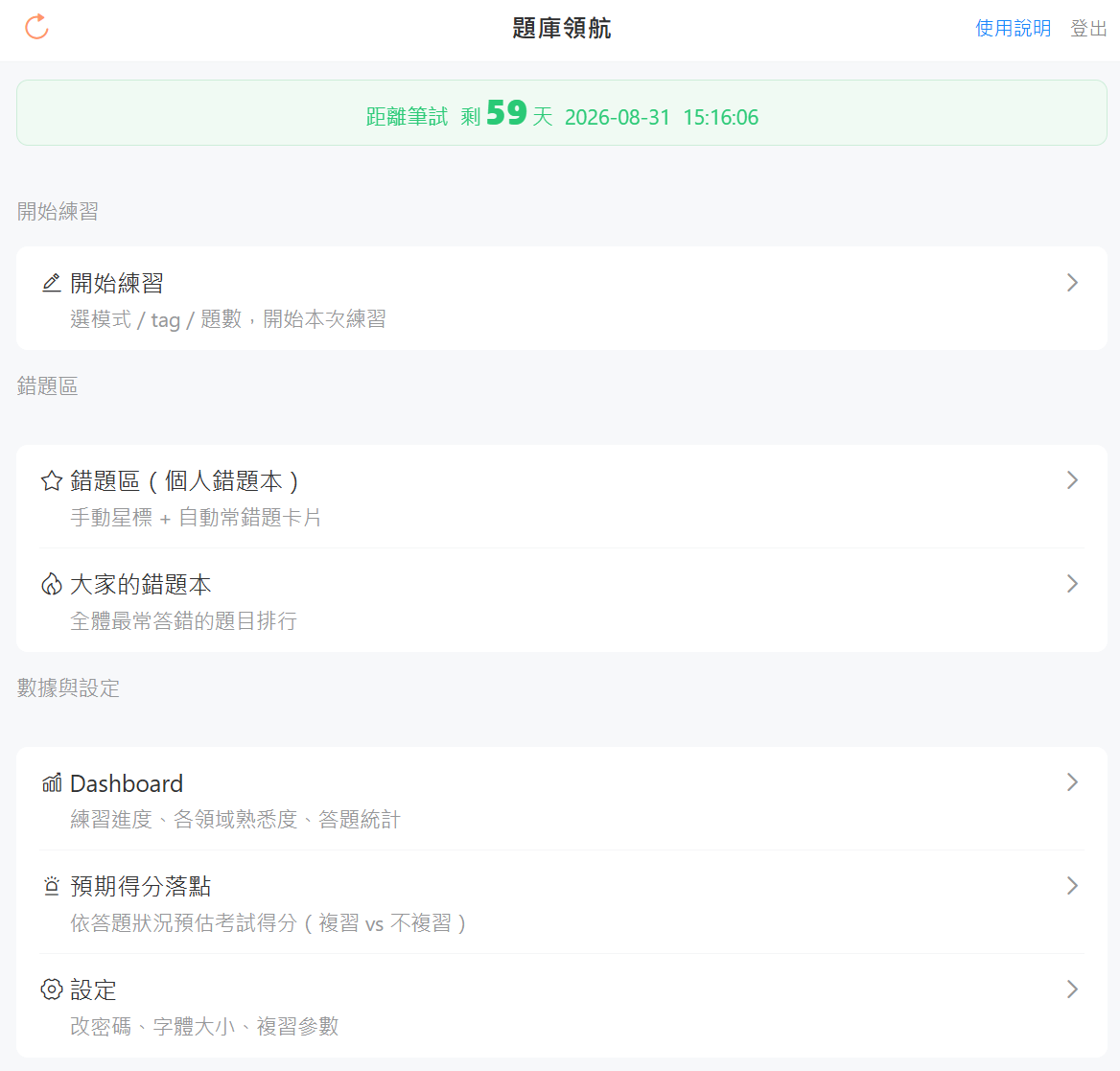
🏠 Homepage
📄 Original PDF exam view
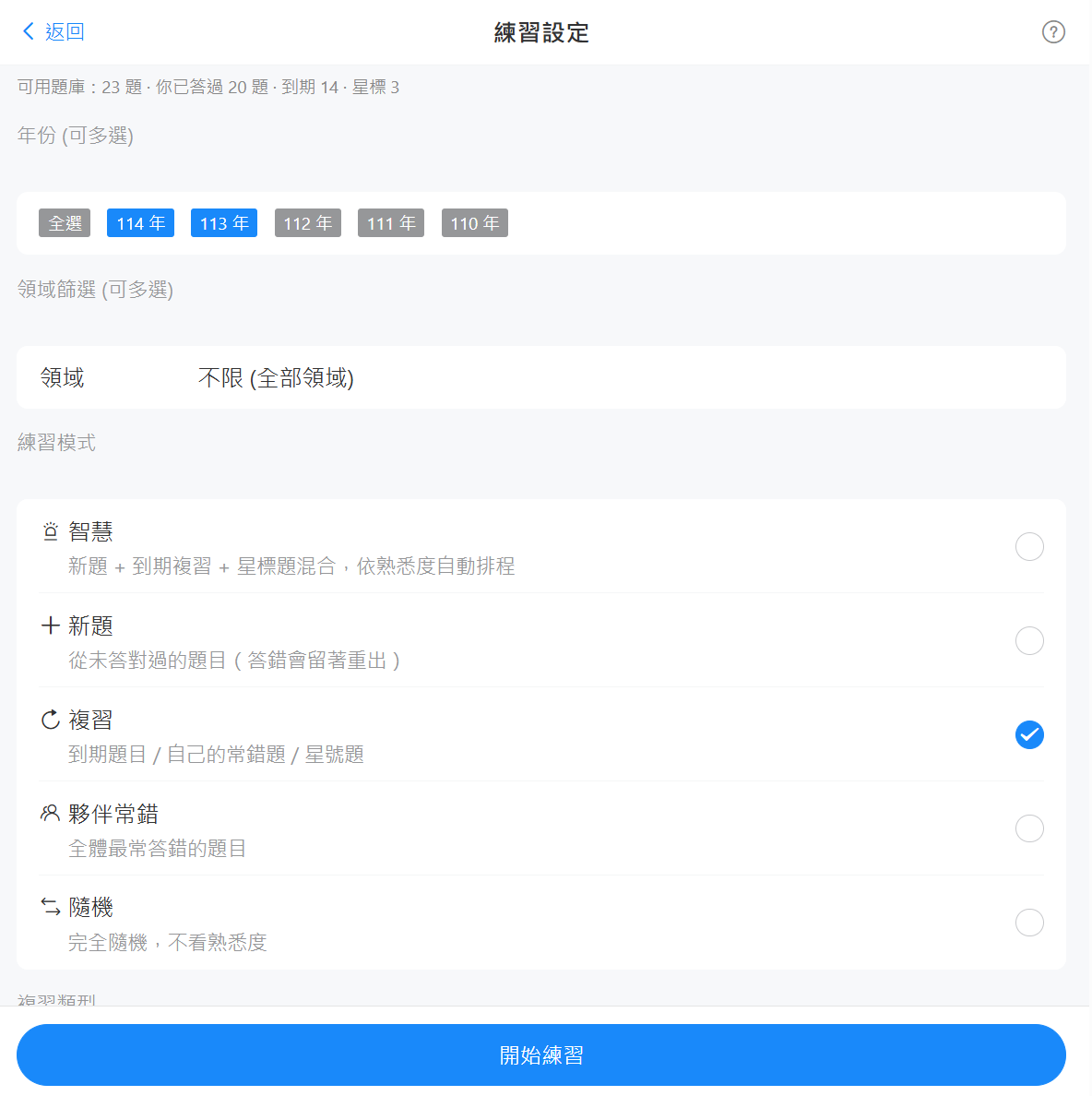
⚙️ Practice settings
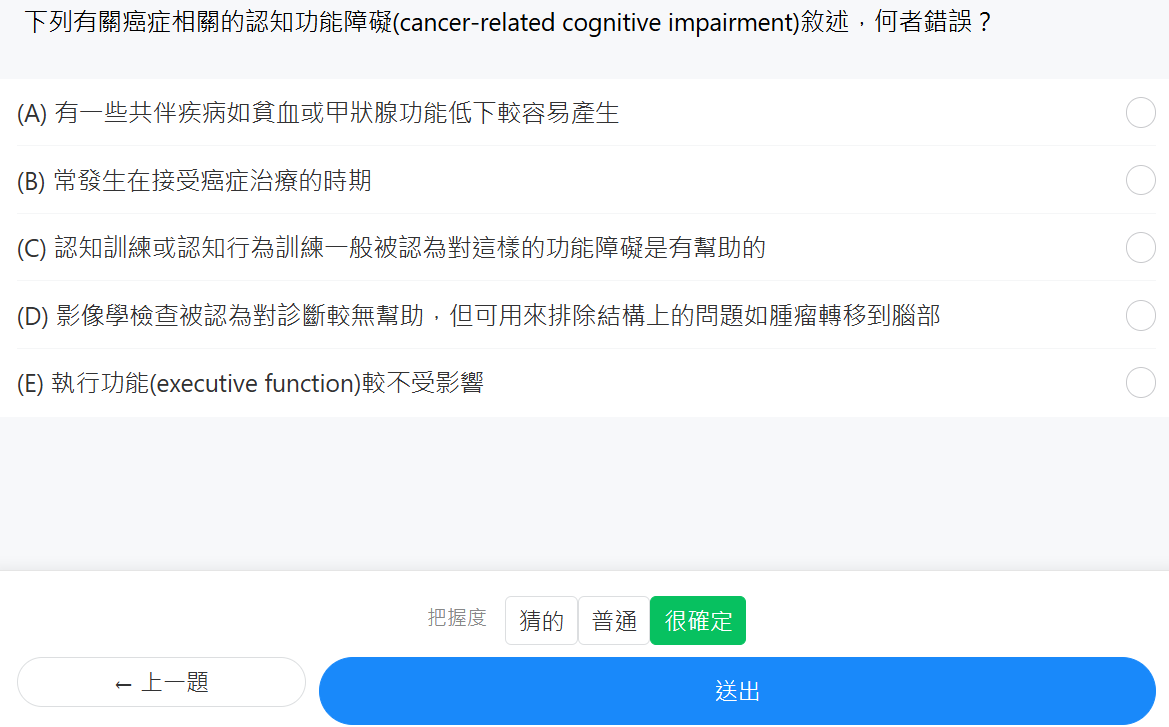
✍️ Quiz view
👥 Everyone’s wrong bank
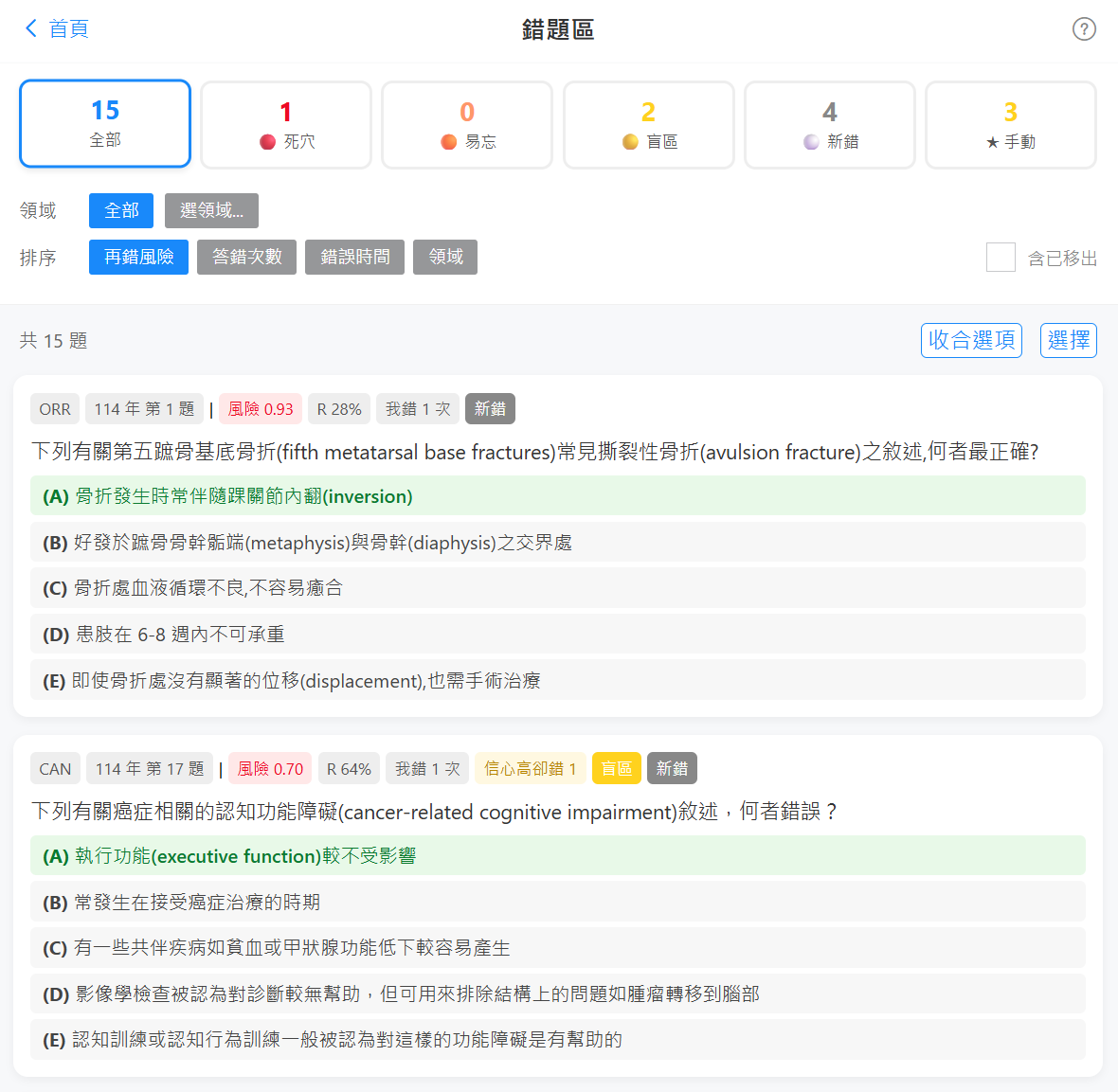
📌 Personal wrong bank (categorized by failure type)
📊 Dashboard overview
🎯 Score projection
Some little design details
As I built it, I found a few details quite interesting:
- Not all wrong questions are created equal. I categorized wrong questions into four types: Dead zones (repeatedly missed), Easily forgotten (memory retention drops too fast), Blind spots (highly confident but wrong, i.e., overconfidence), and New mistakes (missed recently). You can target just one type of weakness and treat the root cause.
- Questions are drawn from a mix of three pools. 70% due for review, 20% unseen new questions, and 10% starred by yourself, balancing consolidating the old with taking in the new.
- Options are shuffled every time. To prevent you from just memorizing “the answer is the third one” instead of actually knowing it.
Open for non-commercial use, contact for commercial use
I cleaned it up into an open-source version and wiped the real hospital data, replacing it with synthetic demo data, so anyone can clone it down and see the full functionality. Friends from other specialties are also welcome to fork it and adapt it for your own specialty’s version. You don’t need to touch the engine or scheduled jobs, just swap out the question bank and categories.
For licensing, I chose something a bit specific: completely free for non-commercial use. You can freely use, modify, and self-host it for personal studying, practicing with classmates, or teaching and research at non-profit institutions like schools or hospitals. But if you want to use it for commercial profit (like cram schools or paid platforms), you’ll need to get a separate license. It’s a bit of protection for myself, ensuring this effort isn’t just taken for free to make money.
Wrapping up
This started out just as a side project to make exams a bit easier for myself (and my peers), but it somehow grew into a fairly complete system. If you’re also preparing for a board examination, feel free to click the Demo and play around, or just fork it and make your own version.
If it helps you, come back and let me know, or drop a star ⭐ on GitHub — it’ll make my day. Let’s make this exam journey a little smarter!
If this tool saves you some time, you’re also welcome to buy me a boba tea to keep the servers spinning 🧡
—