The articles on this site about AI workflows aren’t scattered, they form a path: get it running first → then use it well → pick your tools → finally deep dive into a single tool.
Hover over (or tap) any node to highlight what it connects to; click to read it directly.
* Dashed lines separate the four levels; thick lines show the "sequential relationship within the same pipeline" (discover → fetch → read, produce → update → search).
What do these four levels mean?
- ① Get Started: Even if you’ve never used the command line, you can follow along: install, understand GitHub, and get results from your first tool.
- ② Use it Well: Installing is just the beginning. Mindset, how to write prompts, and how to turn the pitfalls you’ve hit into rules.
- ③ Pick Tools: All the tools I’m actually using, as a complete list sorted by “what you want to do.”
- ④ Single Tool: The design tradeoffs and practical usage behind each tool.
If you’re a complete beginner, just follow ① Getting Started; if you’re already using Claude Code, you’ll get more out of starting directly from ② How to talk to agents.
Three common reasons for visiting
All AI workflow articles
The map above is a curated path; here are all the articles on the AI workflow topic, automatically listed from newest to oldest (for articles on other topics, please go to the article list or the other two entrance tiles on the homepage).
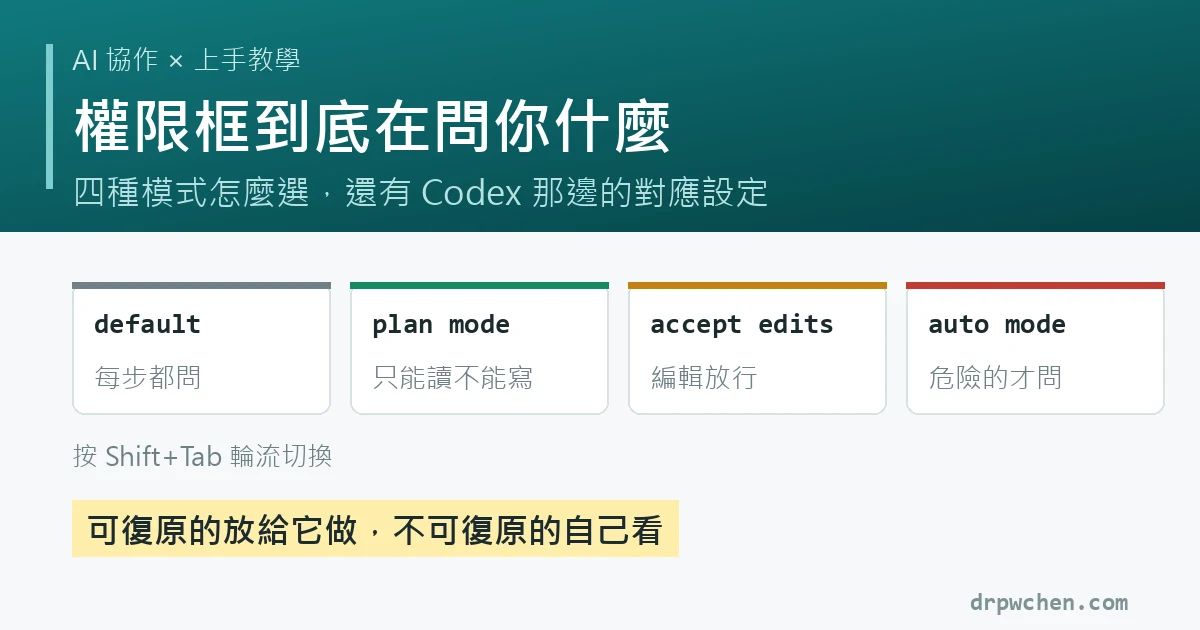
What is the permission prompt actually asking? Four modes, auto mode data, and Codex equivalents
How to read the three parts of a permission prompt, how to choose between four modes with Shift+Tab, why auto mode is actually safer (Anthropic tested: manual per-prompt review only caught 13.6% of dangerous commands, while the system automatically blocked 89%), and how to configure the corresponding /permissions settings in Codex.
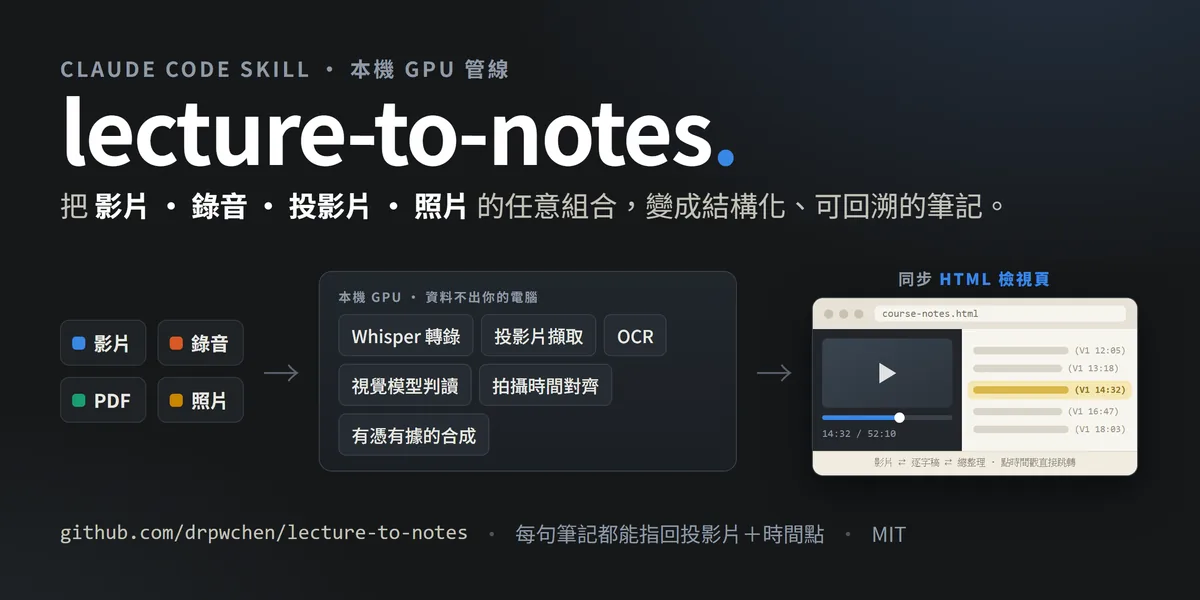
Turning lecture videos into notes you'll actually revisit: lecture-to-notes is now open source
PM&R lectures hide their knowledge in movements. Everyone records them, but nobody goes back to finish watching them. lecture-to-notes turns recordings into three forms of notes: a video, a transcript, and a summary synced on a single webpage, plus markdown for Obsidian and a PDF. Transcription, OCR, and slide analysis all run on your local GPU. Open source under MIT.

Automations Aren't Designed, They Grow: From One Sentence to a Production Line
Want to start building your own AI automation workflow, but stuck on "not knowing how to plan it"? The answer is you don't need to plan. Five things to start with, upgrading when you repeat a task a third time, the three levels of testing, how to rebuild when your project grows crooked, and why you need to delete rules regularly.

AI running out of gas halfway through a midnight task? I built it a fuel gauge and automatic brakes
The most common way for AI to die running tasks autonomously at night isn't bad code, it's hitting the usage limit and getting cut off. claude-pacer solves this with a three-layer design: a status line for humans, a budget alert for AI, and a GO/PACE/STOP verdict for agents to run. Open source MIT.

Getting started with AI agents from scratch: installing, understanding GitHub, and running your first tool
You can follow along even if you've never used the command line: install Claude Code with one command, understand GitHub pages, and get your first open-source tool running and producing results.

How I talk to AI agents: three mindsets, four meta-skills, and a rules file that shouldn't keep growing
Getting the tools installed is just the beginning. Three mindsets, four meta-skills you can use right away, how to write prompts now, and what belongs in each of the three layers of constraints for AI.
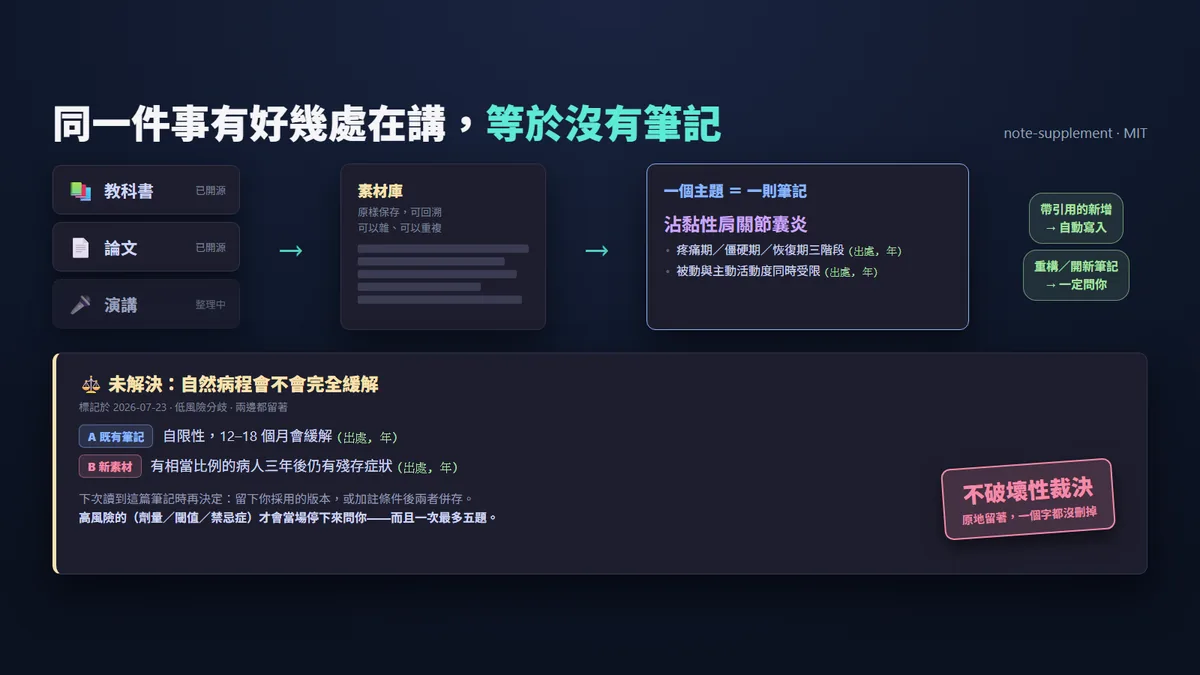
Too Many Notes is No Notes: The Design of note-supplement
My note vault has only one rule: one note per topic. If the same thing is covered in five different places, it's the same as having no notes. The hard part is holding this line as sources pile up. note-supplement handles merging outside materials back into existing notes, without breaking the things you already got right.

My Complete AI Toolbox: Find the Tool for Whatever You Want to Do
A complete list of the tools I actually use, categorized by need: AI assistants, speech-to-text, OCR, notes and knowledge base, paper tools, free website hosting, home servers and backup systems, plus the open-source scripts I wrote myself.
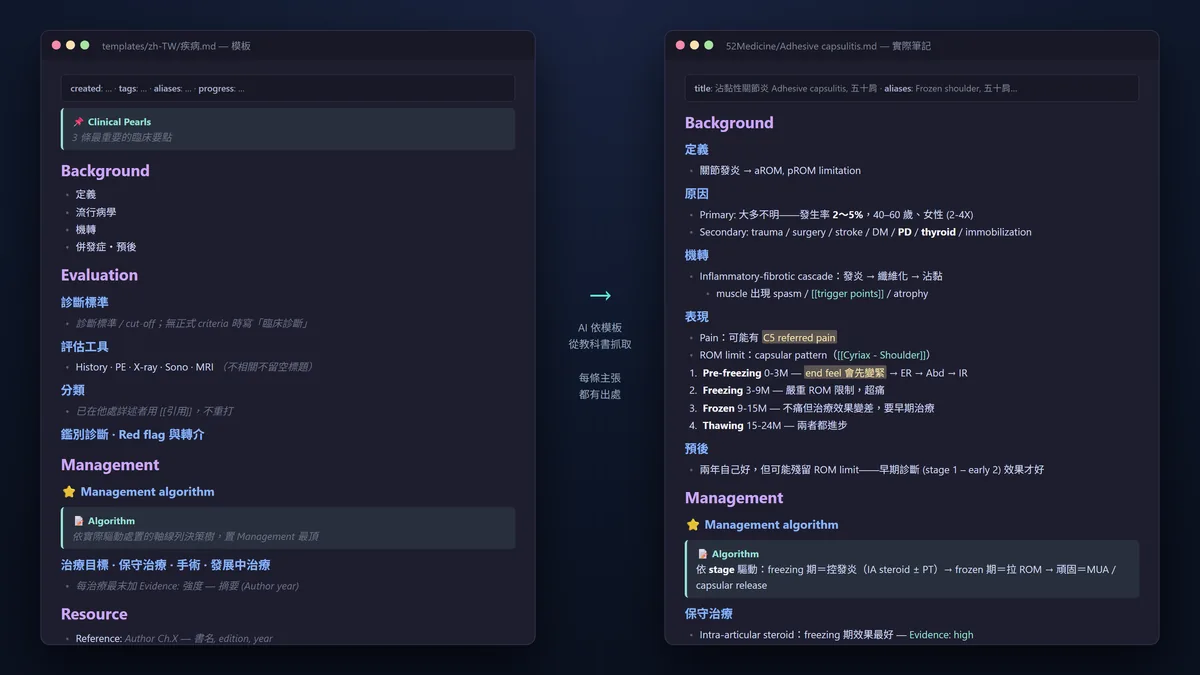
Cross-Textbook Automated Note-Generation Workflow: A Product of the Board Examination
With over forty designated reference books for the board examination, and the same concepts scattered across multiple books, how could anyone possibly finish reading them? I tuned AI to my note-taking workflow, letting it organize textbooks structurally and with evidence. Today I open-sourced the whole setup, and this post covers the five hurdles I cleared along the way.

The last piece of The Paper Trilogy: paper-fetch. Give it a DOI, and it fetches the full text itself
To let AI read papers for you, you first need the full text. And what usually gets you stuck isn't the AI—it's permissions, publishers, and the library. paper-fetch uses a step-by-step route from open access, to official publisher APIs, to your own hospital library to turn a DOI into a full-text PDF, without taking any piracy routes.
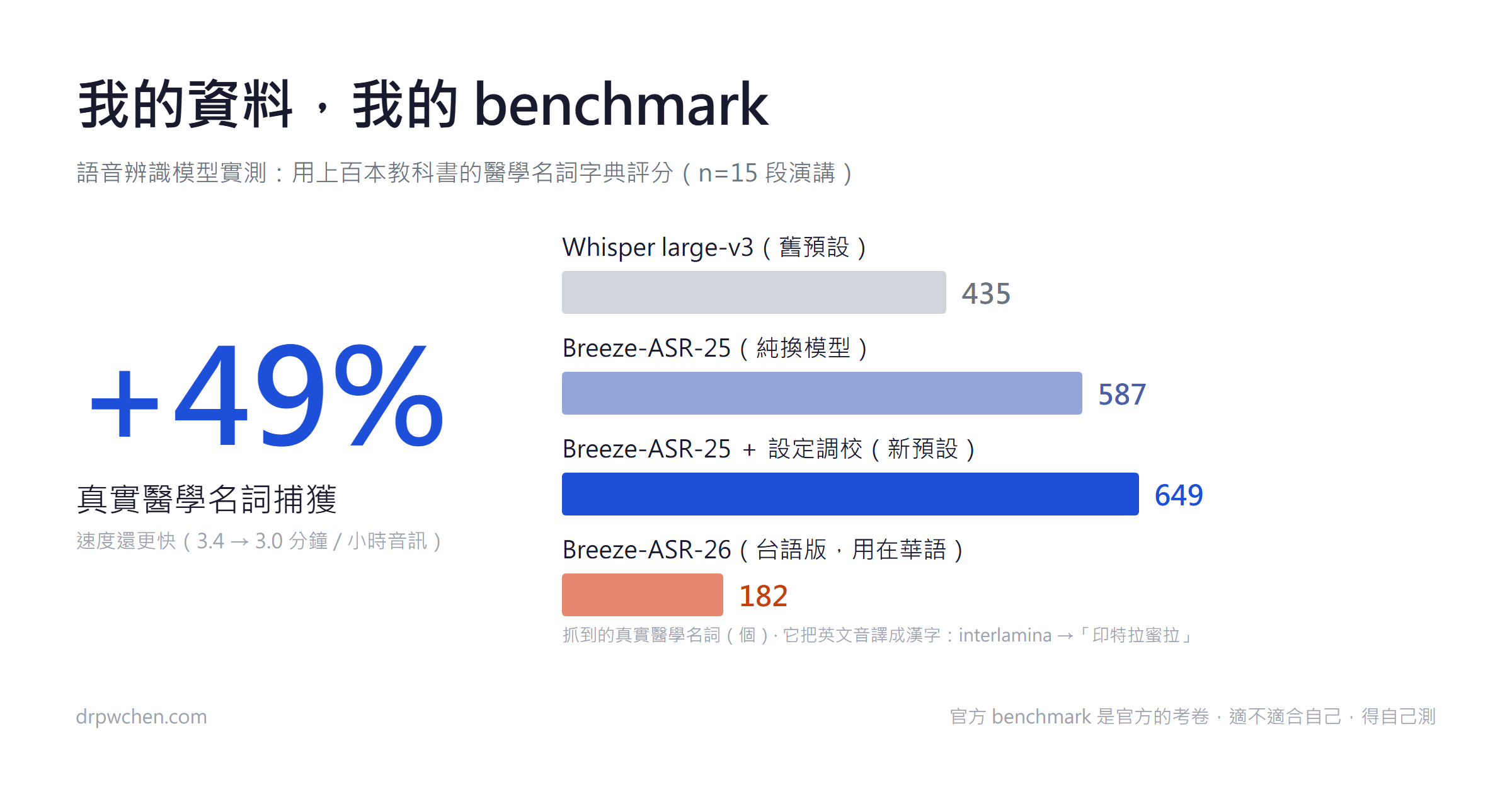
My data, my benchmark: Swapping the speech recognition (ASR) engine for my lecture note system
MediaTek's official benchmark already proves Breeze-ASR-25 beats Whisper, but it isn't testing your task. Using a 180,000-word glossary built from hundreds of textbooks as a yardstick, I found it captures 49% more real vocabulary and runs faster. Another finding not in any model card: the time alignment of the Taiwanese version, Breeze-ASR-26, has regressed. Default decoding only segments once every 30 seconds, which outright breaks when making subtitles or aligning with slides, but enabling word-level timestamps saves it. The testing method is open-sourced.
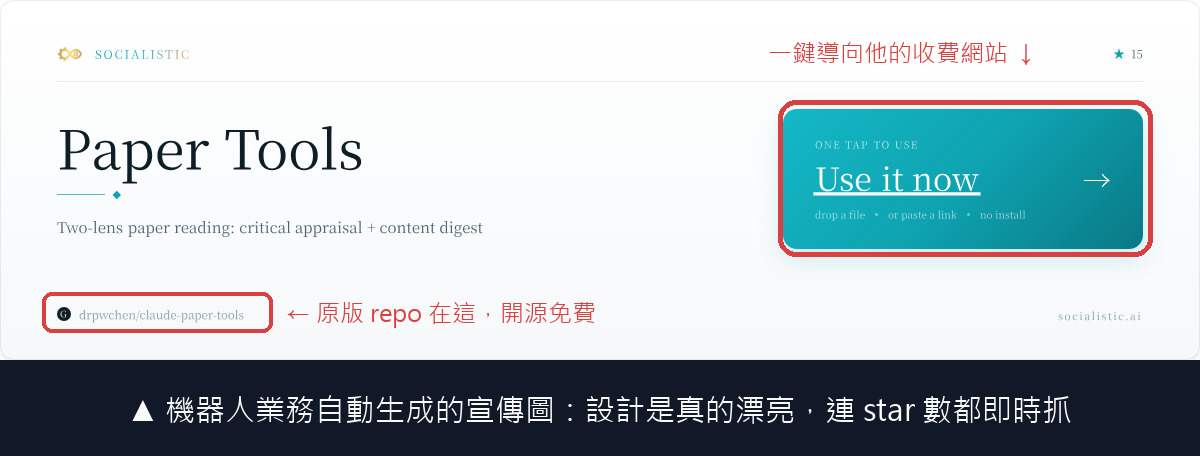
My Open-Source Tool Was Targeted by a Bot Marketer!
My open-source paper tool received a GitHub issue full of sincere praise. After checking, I found it was automated marketing spammed by a bot to 26 repos within two minutes. This post breaks down its tactics, the paid marketplace model behind it, and why running it with your own subscription is a better deal.
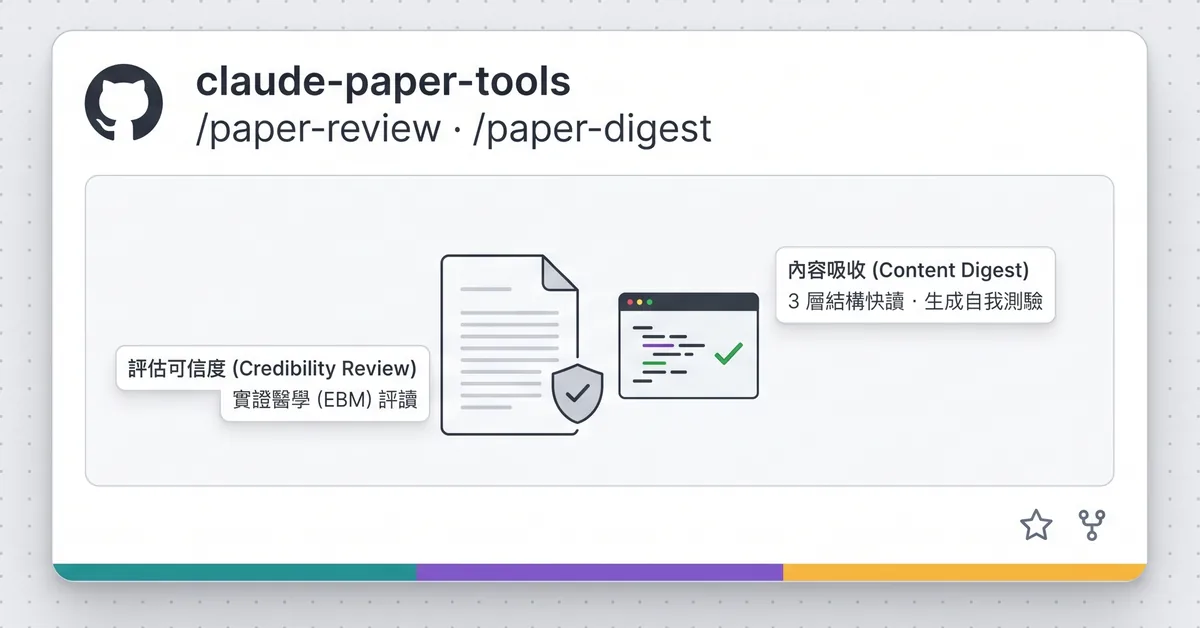
I turned my journal club "paper-reading brain" into an AI skill, and forced it not to bullshit from impressions
I took the entire workflow of a journal club critical appraisal and wrote it into two Claude Code skills. I even wrote two deterministic little scripts to hand over the calculation of evidence certainty and logical flaws to code, stopping the AI from bullshitting based on overall impressions. It's already open-sourced on GitHub.

Exam Practice Platform: Spaced Repetition, Wrong Bank, and Score Projection
While prepping for the PM&R board examination, I used an engineer's approach to solve an old problem: how to practice past exam questions without forgetting them right after. I built a small tool called "Exam Navigator", which uses FSRS to schedule spaced repetition reviews, categorizes wrong questions by failure type into a wrong bank, and can even project your score on exam day. It's now open source for anyone who needs it.
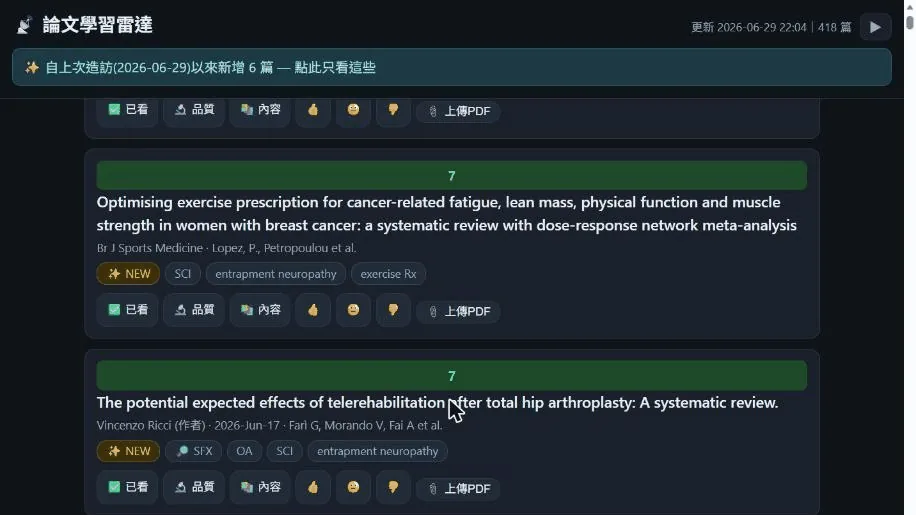
I Open-Sourced My Paper Reading Radar
I took my clunky paper RSS setup and turned it into an online site that automatically fetches papers daily, ranks them by my interest, and learns my tastes over time. Selected papers are then automatically fetched, digested, and critically appraised. Now I've organized it into an open-source version on GitHub. Not just for medicine—any field with RSS feeds can fork it to build their own radar.

Why Does Your AI Get Slower and Dumber the Longer You Chat?
AI has no memory. With every reply, it rereads the entire conversation from the beginning, which is why longer chats get slower, more expensive, and dumber. This post explains the mechanism using a taxi meter analogy, and gives everyone who chats with AI three ways to save that you can use today.

Organizing a clean desk for the AI
There's a cost you pay with every sentence: the config file residing right in front of the AI. Keep it lean, layer the memory, make good use of prompt caching to bill repeated content at one-tenth the price, and throw away the noise of successful commands directly. A clean desk doesn't just save money; the AI answers more accurately, too.

If an abacus works, don't boot up the supercomputer: When to actually make AI think?
Some jobs simply shouldn't be given to AI. Clear-cut, repetitive tasks belong to hardcoded scripts—they're fast, accurate, and practically free. Vague, judgment-heavy tasks are what you boot up AI for. Here's how I read my medical textbook PDFs as an example of making this tradeoff.

I installed a money-saving dashboard for my AI
The final part of the saving tokens series: not everything needs the smartest brain, and even for reading images, the cheapest model is often enough. Toss noisy chores to a clone to keep your desk clean, then install a dashboard, or even let the AI watch its own usage and pace the budget just right.

When AI Can Do It All, I Double-Check My Keys at Home
After handing over permissions to read files, execute commands, and connect to the internet to an AI assistant, I went back to inventory, lock, and revoke my scattered keys and tokens, putting together a few security habits for using AI.

Built a PM&R Continuing Education Radar
I built a website, courses.drpwchen.com, that automatically aggregates courses and announcements from 17 rehabilitation-related societies and institutions. It updates every 3 hours, supports RSS or ntfy notifications, and is free with no login required.
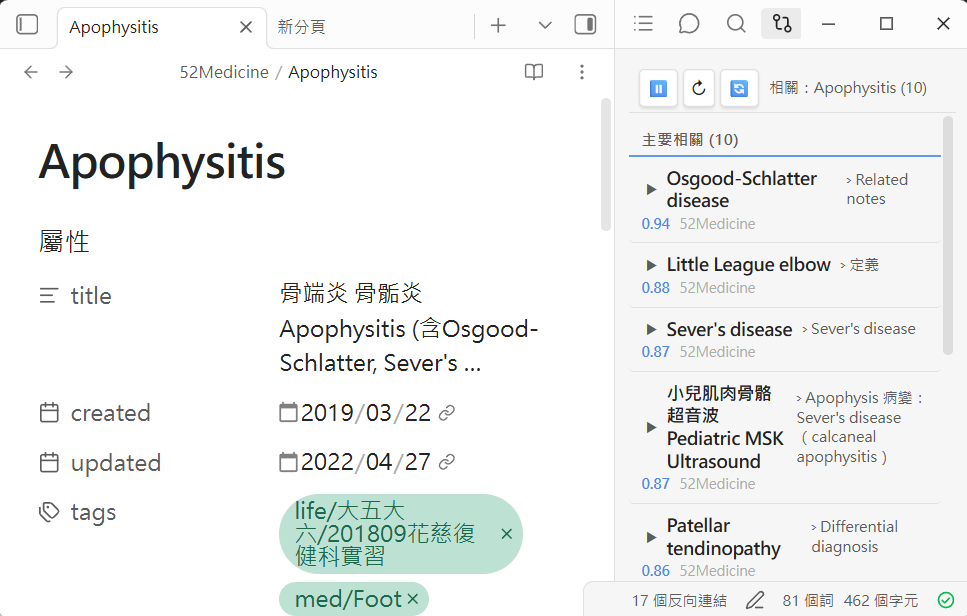
I turned Obsidian into a second brain that "searches notes by meaning" (and open-sourced it)
Obsidian's built-in search only looks for the exact words you type, but you rarely remember the words you used months ago. I cleaned up and open-sourced the "semantic search trio" I've been using for the past half-year. It's completely local and MIT-licensed.

Adding graph retrieval to my medical LLM Wiki, and it actually works this time
I threw a new paper on SQL-RAG at Claude to verify it myself: useless for a redundant textbook library, but a great fit for finding "related notes" in a sparse Obsidian medical note vault. After swapping the ranking to personalized PageRank, the proportion of correctly finding related notes jumped from 34% to 84%, and I put it straight into production.